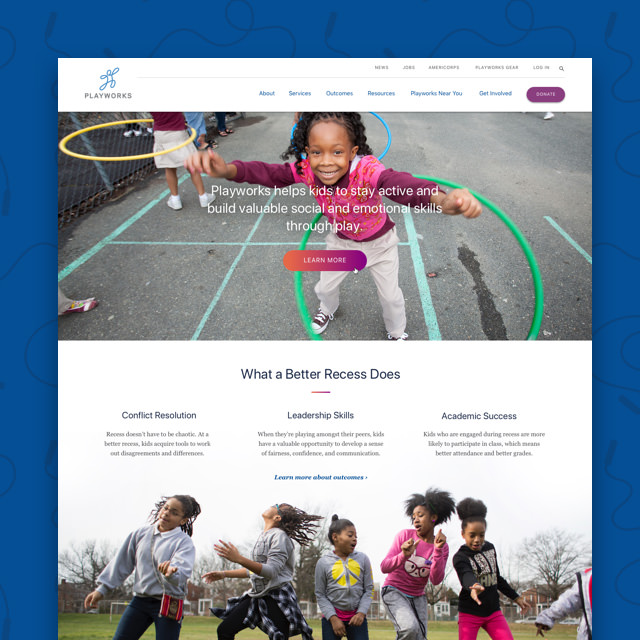
What is Responsive Web Design and Why It Matters in 2025
Responsive web design has become the standard for building websites that work on every device—from smartphones and tablets to laptops and widescreens. In a world where more than half of global web traffic comes from mobile devices, creating flexible, device-friendly sites is no longer optional—it’s a necessity.
Responsive web design ensures that your layout, images, and text adapt to the user’s screen size and orientation without sacrificing usability or visual appeal. It creates consistency, improves speed, and supports better accessibility—all while helping your business rank higher in search engines.
In this article, we’ll break down exactly what responsive design is, why it’s important, how it works, and the benefits it offers in 2025. At WDG, we specialize in building client-first WordPress and Drupal websites that are fully responsive, accessible, and performance-driven.
Key Takeaways
Responsive web design is no longer optional—it’s essential. Here’s why it matters:
- Responsive web design ensures your website adapts seamlessly to desktops, tablets, and smartphones.
- Responsive sites offer faster load times, improved SEO, and better accessibility.
- Core elements include flexible grids, scalable images, and CSS media queries.
- WDG builds client-first responsive sites that prioritize usability, speed, and brand consistency.
What Is Responsive Web Design?
Responsive web design is an approach to building websites that automatically adapt to the user’s device. Rather than designing separate websites for mobile and desktop, a responsive site uses a single layout that flexes and scales fluidly based on screen width, orientation, and resolution.
This approach relies on techniques like fluid grid layouts, flexible images, and CSS media queries. The goal is to deliver a consistent and optimized experience, no matter how a user accesses your content.
Why Responsive Web Design Is Important
As of 2025, responsive design is more than just good practice—it’s the baseline for building modern, user-friendly websites.
- Mobile traffic dominates most industries, making mobile usability critical to engagement.
- Google uses mobile-first indexing, meaning it primarily evaluates your site’s mobile version for ranking.
- Users expect speed and consistency, regardless of whether they’re browsing from a phone or desktop.
- Responsive design supports accessibility, allowing users of all abilities to access your content more easily.
- It’s more efficient to maintain, as you only have to update one version of your site rather than separate mobile and desktop versions.
Core Components of Responsive Web Design
To work properly, responsive web design relies on a few key building blocks.
1. Fluid Grid Layouts
Fluid grids use percentages instead of fixed pixel values to define widths. This allows layout elements to scale in proportion to the screen size, creating a natural, flexible structure that looks great on any device.
2. CSS Media Queries
Media queries apply different CSS styles based on screen width, height, orientation, resolution, and more. They’re essential for adjusting layouts, hiding or showing elements, resizing text, and ensuring the right styles are applied at the right time.
3. Flexible Images and Media
Images should scale with their containers without breaking the layout. Using max-width: 100% in CSS ensures that images don’t overflow or stretch awkwardly on smaller screens. Combined with srcset and sizes, responsive image techniques deliver optimal performance and clarity.
4. Responsive Typography
Legible typography on small screens is crucial. Instead of static font sizes, responsive design uses scalable units like rem, em, or clamp() to adapt text size, spacing, and line height for better readability across breakpoints.
5. Mobile Navigation Patterns
Menus and navigational structures must be usable on small screens. Common patterns include hamburger menus, off-canvas panels, and collapsible sections. These patterns reduce clutter while maintaining full functionality for mobile users.
Benefits of Responsive Web Design
Responsive design creates measurable benefits for both users and website owners.
1. Improved User Experience
Users don’t have to pinch, zoom, or scroll sideways to read content. The interface feels natural and intuitive, which builds trust and encourages deeper engagement. A responsive site delivers consistency, making your brand feel polished and professional.
2. Higher Search Engine Rankings
Google favors mobile-friendly sites. Responsive design helps improve Core Web Vitals like LCP (Largest Contentful Paint), CLS (Cumulative Layout Shift), and FID (First Input Delay), all of which influence your visibility in search results.
3. Lower Maintenance Costs
A single responsive site is easier to manage than maintaining separate desktop and mobile versions. You only need to update content and design in one place, which reduces time, cost, and technical complexity.
4. Future-Proof Design
As new devices emerge—foldable phones, ultra-wide monitors, etc.—responsive sites continue to adapt without requiring major redesigns. This makes your site more scalable and better prepared for whatever comes next.
Examples of Responsive Web Design in Action
Still not sure what responsive design looks like? Here are a few common use cases:
- A blog layout that shifts from three columns on desktop to a single column on mobile.
- An e-commerce grid that displays four products per row on desktop, two on tablet, and one on mobile.
- A hero banner image that scales proportionally and maintains its focal point across screen sizes.
- Navigation that starts as a horizontal menu and collapses into a hamburger on small screens.
- Responsive images served using srcset, so mobile users get smaller image files, and Retina screens receive high-res versions.
How WDG Builds Client-First Responsive Websites
At WDG, responsive design is part of every site we build. We don’t just aim for “mobile-friendly”—we deliver client-first experiences that work seamlessly across devices, screen sizes, and user needs.
From strategy to deployment, our approach ensures that every site is responsive, accessible, and optimized for growth. Contact us today to get started!
FAQs About Responsive Web Design
What does responsive web design mean?
It refers to building websites that automatically adapt to different screen sizes, orientations, and devices.
Why is responsive web design important?
It ensures that your site is usable, accessible, and fast for all users, while also improving SEO and reducing maintenance costs.
How is responsive design different from mobile design?
Responsive design uses one flexible layout that adjusts for any device, while mobile design often means creating a separate version just for smartphones.
What tools are used to build responsive websites?
Tools include CSS frameworks, media queries, fluid grids, and responsive image techniques.
Can WDG help me redesign my site to be responsive?
Yes—WDG specializes in responsive WordPress and Drupal development with a client-first approach to design and performance.
Related Insights